GroupFund Pilot
Your town Choose yours Works with M-Pesa and any bank
Start a chama

How it works

Every screen, as members and officials see it.

What members see

A member's dashboard: total saved on one card, with the main actions under it
Latest transactions: contributions in, a loan repayment out, each with its date
Contribution history: a bar for each month
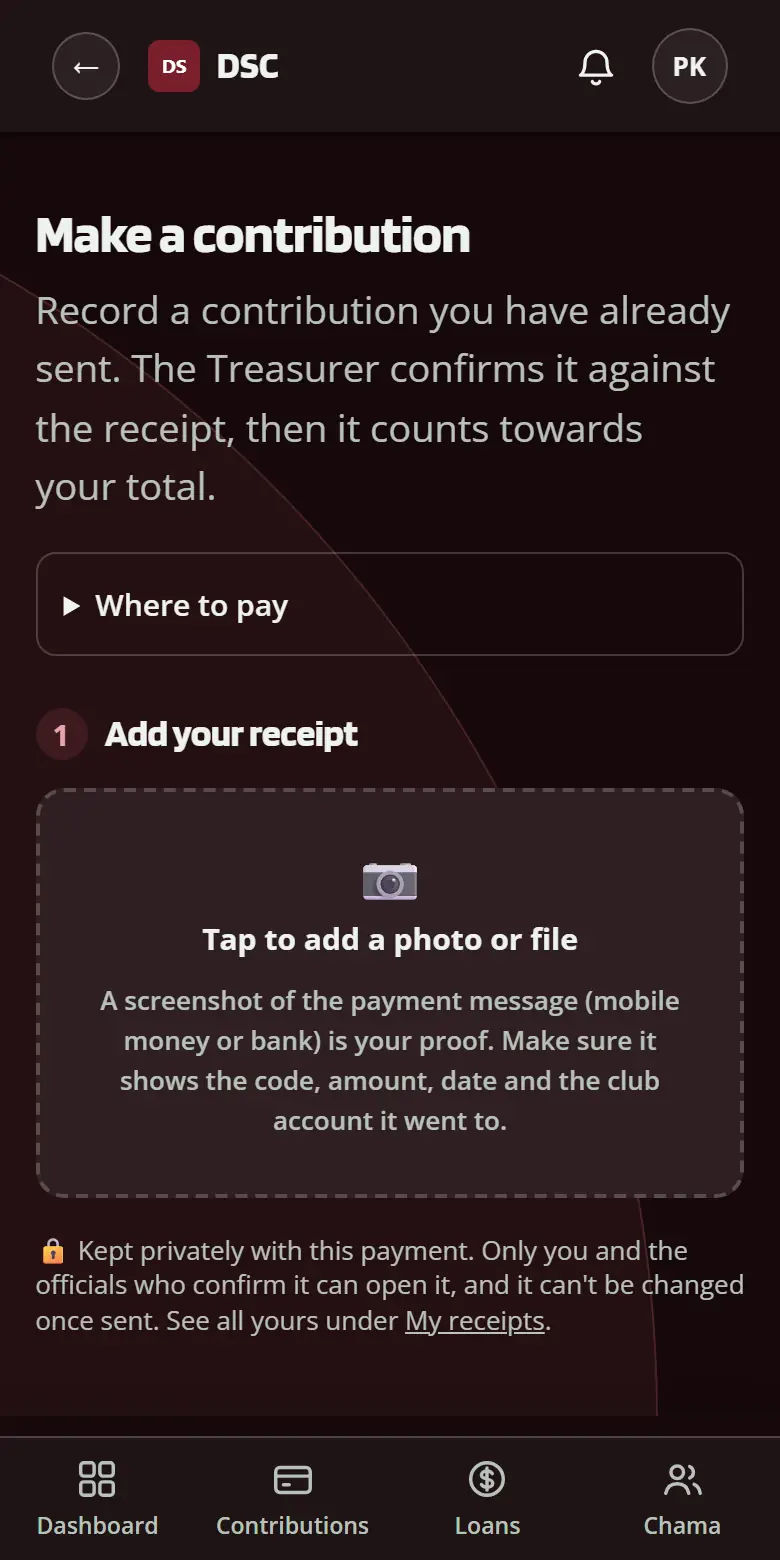
Making a contribution with a screenshot of the payment
A member's contributions: confirmed to date, months behind, fines
The chama tab: the monthly contribution, due date and what's saved together
1 of 6

Their total, first thing

  • Total saved, from confirmed contributions only
  • Make a contribution, ask for a loan or repay in one tap
  • What's due next, said in one line

Invented names and numbers. Real records are never shown in public.

Start your chama

What officials see

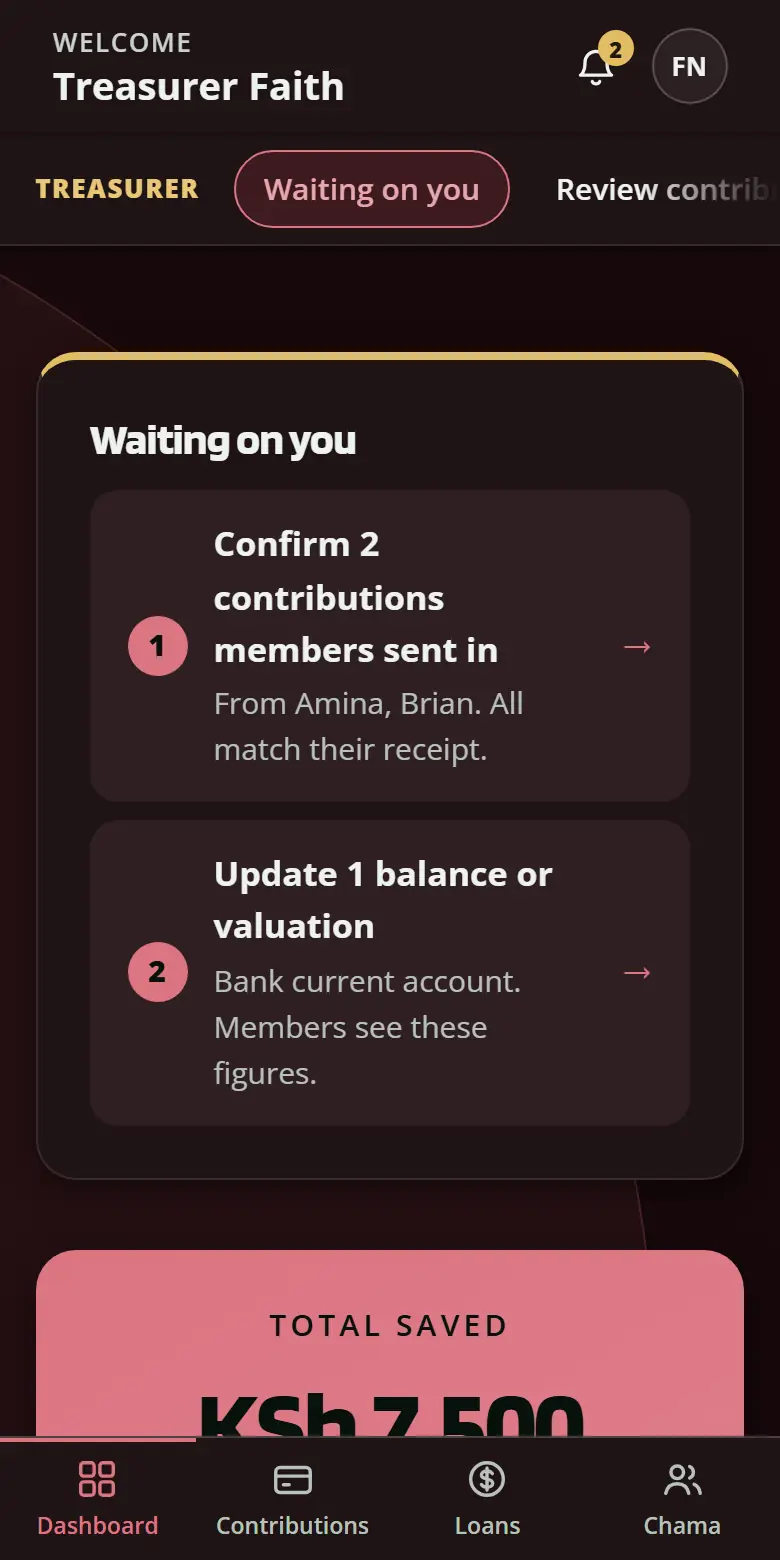
A Treasurer's dashboard: two things waiting, listed below
Getting started: two of six steps done, the next one marked
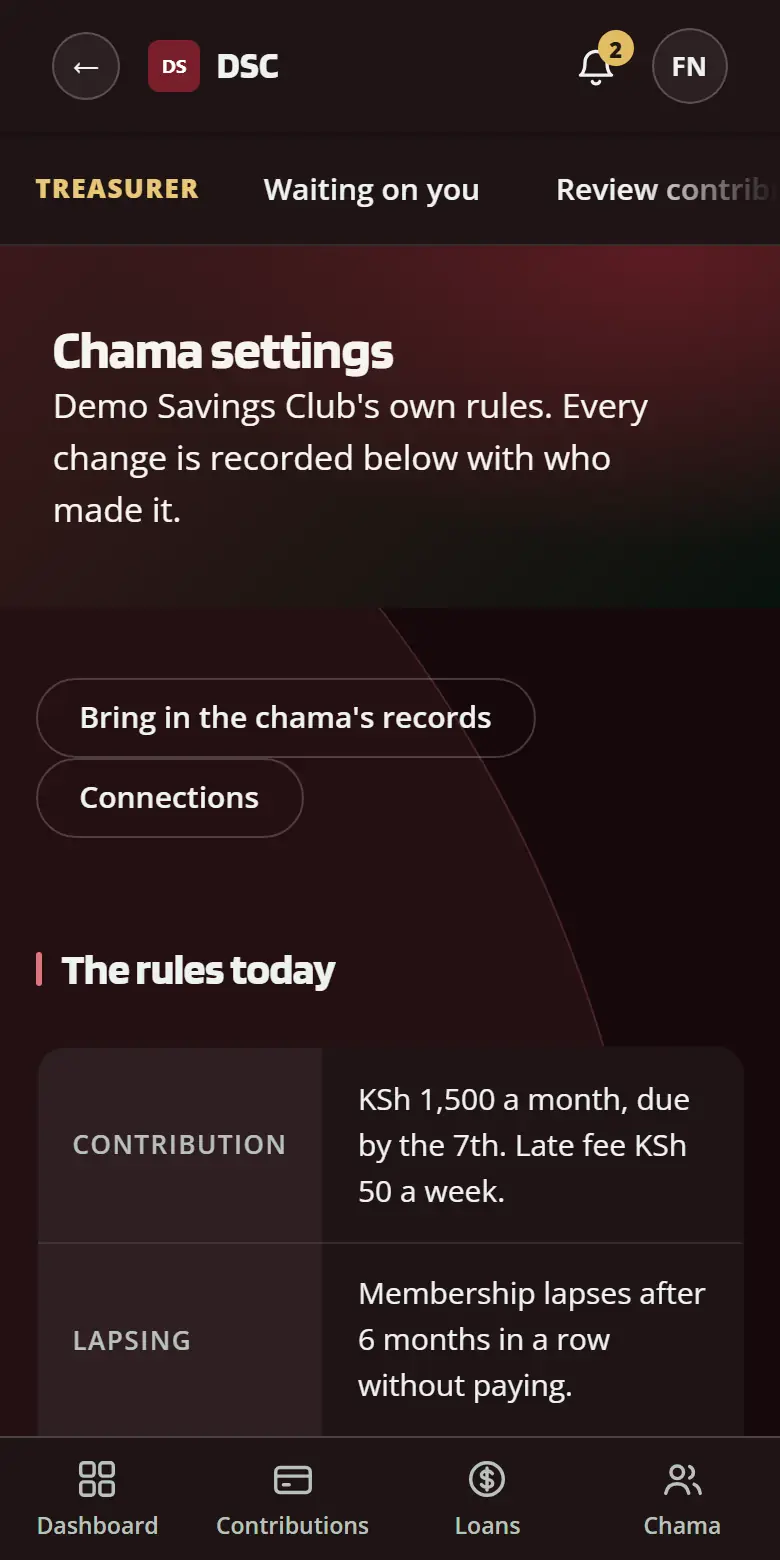
Settings: the rules today in plain words
Connections: payment and SMS services
Setting up M-Pesa in three steps: keys, test, turn on
1 of 5

A numbered list of what needs doing

  • Contributions to confirm, loans to decide, members to follow up
  • Each item opens the page where it's done
  • A report on the 1st of every month

Bring your records
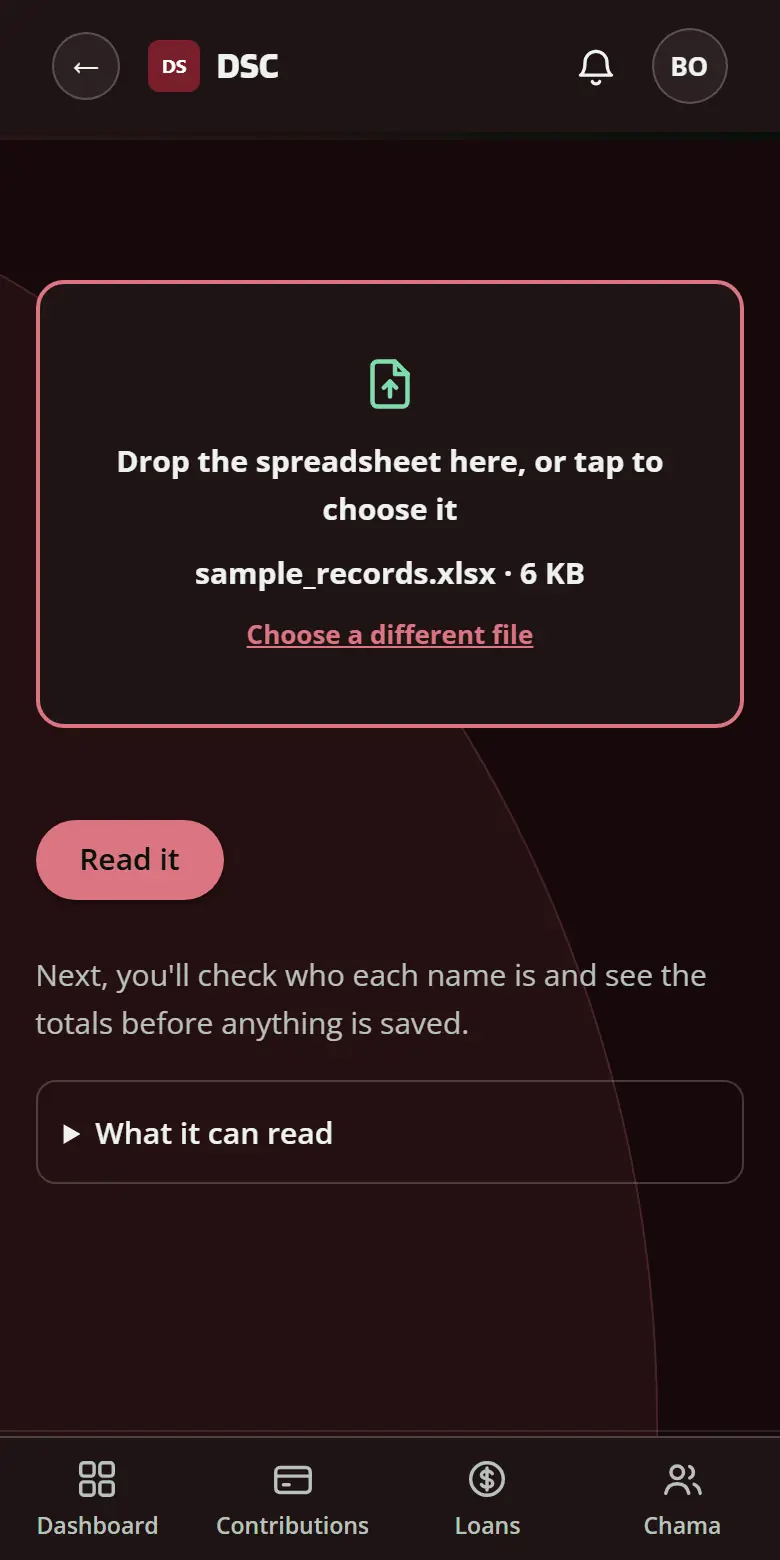
A spreadsheet dropped in, its name and size shown
What the file holds: each sheet and how it was read
Who is who: each name in the file matched to a member
Brought in: contributions and a member added, repeats skipped
What the constitution says: each rule beside what you do now
1 of 5

Drop in the spreadsheet you already keep

  • Excel or CSV, as it is
  • Its name and size show before anything is sent
  • The wrong kind of file is refused on the spot

Start your chama

We usually reply by email within two working days.